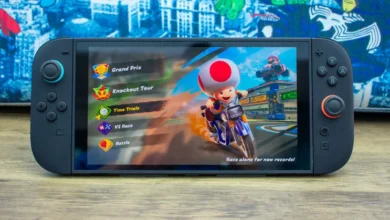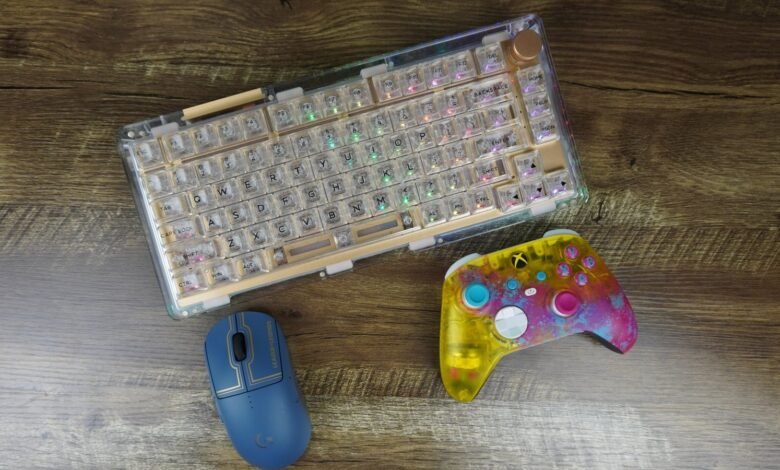
Choosing between a controller and a keyboard and mouse is an important decision for gamers. Both options offer different advantages, and the best choice depends on the type of games you play, your personal preferences, and your gaming setup.
Some players prefer the comfort and simplicity of a controller, while others enjoy the precision and flexibility of a keyboard and mouse. Understanding the differences can help you choose the right gaming controls for a better experience.
What Is a Gaming Controller?
A gaming controller is a handheld device designed to control video games. It usually includes buttons, analog sticks, triggers, and directional controls. Popular controllers are available for consoles such as PlayStation and Xbox, and many can also connect to a gaming PC or compatible mobile device.
Controllers are particularly popular for racing games, sports games, fighting games, and action-adventure titles. Their compact design makes them comfortable to use while sitting on a couch or relaxing away from a desk.
Advantages of Using a Controller
1. Comfortable Gaming Experience
Controllers are designed to fit naturally in your hands. Their ergonomic shape allows players to enjoy long gaming sessions without constantly reaching across a keyboard.
2. Better Analog Movement
Analog sticks allow players to control movement gradually. This is especially useful in racing games, where you may need to steer gently rather than turn in a single direction.
3. Easy to Learn
Most controllers have a relatively simple layout. Players can learn the basic controls quickly without memorizing numerous keyboard shortcuts.
4. Excellent for Certain Game Genres
Sports games, racing simulators, platformers, and many third-person action games work particularly well with controllers.
Disadvantages of a Controller
Controllers may be less precise for aiming in competitive first-person shooters. They also offer fewer immediately accessible buttons than a full keyboard, although additional buttons and customizable layouts can help.
Some games provide aim assistance for controller users, but the effectiveness of this feature varies by game. Wireless controllers may also require charging or batteries.
What Is a Keyboard and Mouse Setup?
A keyboard and mouse setup is commonly used for PC gaming. The keyboard handles movement, actions, shortcuts, and other commands, while the mouse controls aiming, camera movement, and precise selection.
This setup is especially popular among competitive PC gamers because it provides extensive control customization and accurate mouse movement.
Advantages of Using a Keyboard and Mouse
1. Precise Aiming
A mouse allows players to move the crosshair quickly and accurately. This is particularly beneficial in first-person shooters, tactical shooters, and other games that require precise aiming.
2. More Control Options
A keyboard offers many keys that can be assigned to different actions. Players can use shortcuts, switch equipment, activate abilities, and perform multiple commands efficiently.
3. Customization
Gamers can adjust mouse sensitivity, remap keyboard keys, create personalized layouts, and choose equipment that matches their preferences.
4. Suitable for Strategy Games
Real-time strategy games, management simulators, and many PC strategy titles benefit from mouse-based selection and keyboard shortcuts.
Disadvantages of a Keyboard and Mouse
A keyboard and mouse setup usually requires a desk or suitable gaming surface. Beginners may also need time to develop coordination between mouse aiming and keyboard movement.
An uncomfortable desk arrangement or poorly positioned equipment can cause wrist, shoulder, or neck discomfort. Choosing an appropriate setup and taking regular breaks can help reduce these problems.
Controller vs Keyboard and Mouse: Key Differences
| Feature | Controller | Keyboard and Mouse |
|---|---|---|
| Aiming precision | Depends on the game and aim assistance | Generally excellent with a mouse |
| Movement | Smooth analog movement | Precise directional inputs |
| Racing games | Often excellent | Good, especially with suitable settings |
| First-person shooters | Comfortable, but aiming can be challenging | Often preferred for precise aiming |
| Strategy games | Supported in some titles | Often easier to control |
| Comfort | Convenient for couch gaming | Ideal for a suitable desk setup |
| Customization | Varies by controller and game | Extensive key and mouse customization |
| Learning curve | Often easier for basic controls | Requires practice and coordination |
Actual performance depends on the game, hardware, settings, and individual skill. Neither control method is automatically better for every player.
Which Is Better for Different Game Genres?
The type of game you play is one of the most useful factors when choosing between a controller and a keyboard and mouse.
First-Person Shooter Games
Keyboard and mouse controls are often preferred in competitive shooters because mouse movement supports precise aiming and fast target tracking. However, players who have developed strong controller skills may perform very well with a controller, particularly in games with effective aim assistance.
Racing Games
Controllers are an excellent choice for many racing games because analog triggers and sticks provide gradual acceleration, braking, and steering. A keyboard can still work well for casual racing, while a dedicated steering wheel may offer a more specialized experience.
Sports Games
Football, basketball, and other sports games often feel natural with a controller. Analog movement and dedicated buttons make it easier to manage player movement and perform combinations of actions.
Strategy and Simulation Games
Keyboard and mouse controls are generally well suited to strategy games, city-building titles, and management simulators. The mouse makes selecting units, navigating menus, and managing complex interfaces more convenient.
Action and Adventure Games
Both options can work well for action-adventure games. A controller may feel more natural for movement and combat, while a keyboard and mouse can provide greater aiming precision in titles that emphasize ranged combat.
Can You Use Both a Controller and Keyboard and Mouse?
Yes. Many PC games support both control methods, allowing players to switch according to their preferences. Some gamers use a controller for racing and sports games but switch to a keyboard and mouse for competitive shooters and strategy titles.
Before purchasing additional equipment, check whether your preferred games support your chosen controller and whether they allow you to change input methods easily.
Tips for Choosing the Right Gaming Controls
Consider these factors before making a decision:
- Your favorite games: Choose controls that work well with the genres you play most often.
- Your budget: Compare the cost of a suitable controller with the keyboard and mouse you already own or plan to purchase.
- Comfort: Select equipment that fits your hands, posture, and available gaming space.
- Your experience: Beginners should experiment with both options before committing to one.
- Compatibility: Confirm that your device and games support your preferred input method.
- Practice: Give yourself enough time to develop your skills before judging either setup.
You do not necessarily need expensive gaming accessories to perform well. Consistent practice, comfortable equipment, and suitable settings can make a meaningful difference.
Common Mistakes to Avoid
One common mistake is choosing a control method simply because a professional gamer uses it. Professional players often have years of experience, and their preferences may not suit everyone.
Another mistake is assuming that a more expensive mouse or controller will automatically improve performance. Equipment can help, but it cannot replace practice and game knowledge.
Players should also avoid copying another person’s sensitivity settings without testing them. Small adjustments based on comfort and control are often more useful than following popular settings without understanding them.
Final Verdict: Controller or Keyboard and Mouse?
There is no single winner in the controller vs keyboard and mouse debate. Each option has strengths that make it suitable for different games and players.
A controller is a great choice for racing games, sports titles, couch gaming, and players who prefer analog movement. A keyboard and mouse setup is often better suited to competitive shooters, strategy games, and titles that benefit from precise aiming and extensive shortcuts.
If you play different types of games, consider trying both options. The best gaming setup is the one that feels comfortable, suits your favorite games, and helps you enjoy playing while improving your skills over time.