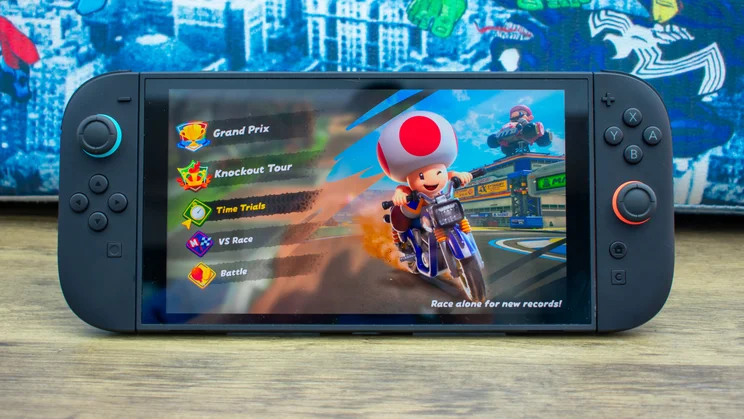
Video games have become an important part of modern entertainment, with millions of people playing games on PCs, consoles, and mobile devices. Before downloading or purchasing a game, many players read reviews to understand its gameplay, graphics, performance, and overall quality.
Writing a video game review is a useful way to share your gaming experience and help other players decide whether a game is worth their time and money. However, a good review requires more than simply saying whether you liked or disliked a game. It should explain the game’s strengths, weaknesses, and most important features in a clear and honest way.
In this guide, you will learn how to review a video game step by step, what details to include, and how to write a helpful review for a gaming website or blog.
1. Play the Game Before Writing Your Review
The first step in reviewing a video game is to spend enough time playing it. Your review should be based on your own experience rather than assumptions or other people’s opinions.
Try to explore the main features of the game, including its gameplay mechanics, controls, missions, levels, and difficulty settings.
The amount of time needed depends on the type of game. A short mobile game might require only a few hours of testing, while a large open-world adventure may require considerably more time.
During gameplay, take notes about:
- How enjoyable the game feels.
- Whether the controls are easy to understand.
- How the difficulty changes as you progress.
- Whether the missions or levels become repetitive.
- Any bugs, crashes, or performance problems.
- Features that make the game different from similar titles.
Playing the game yourself allows you to provide specific examples and make your review more useful to readers.
2. Explain the Gameplay Experience
Gameplay is one of the most important parts of a video game review. It describes what players actually do in the game and how the experience feels.
For example, an action game might focus on combat, exploration, and fast movement. A racing game may emphasize vehicle handling, track design, and realistic driving mechanics.
When evaluating gameplay, consider these questions:
- Are the controls responsive?
- Are the objectives clear?
- Does the game offer enough variety?
- Is the difficulty balanced?
- Does the gameplay remain interesting over time?
Try to explain your observations rather than making general statements.
Instead of writing, “The gameplay is good,” explain what makes it enjoyable. You might mention responsive controls, creative challenges, or satisfying progression.
Similarly, if the gameplay becomes repetitive, describe which activities repeat too often and how this affects the experience.
3. Evaluate Graphics and Visual Quality
Graphics influence how a video game looks and how clearly players can understand its environment. However, impressive graphics do not automatically make a game enjoyable.
When reviewing visual quality, examine the following elements:
Character design: Are the characters detailed and visually consistent?
Environments: Do the maps, locations, and backgrounds feel interesting?
Animations: Do character movements and actions appear smooth?
Lighting and effects: Do shadows, explosions, weather, and other visual effects improve the experience?
Visual clarity: Can players easily identify enemies, objects, menus, and important information?
Remember that different games have different visual goals. A simple puzzle game does not need the same level of graphical detail as a realistic racing simulator.
Focus on whether the graphics suit the game’s style and support its overall design.
4. Test Performance and Stability
Performance is especially important for PC and mobile gaming. A game may look attractive but still deliver a poor experience if it frequently freezes, crashes, or runs at an unstable frame rate.
During testing, pay attention to loading times, frame rate consistency, stuttering, overheating, and unexpected errors.
For PC games, consider whether the game runs smoothly on the hardware used for testing. If possible, mention your processor, graphics card, RAM, and graphics settings.
For mobile games, check whether the game responds well to touch controls and whether performance remains stable during longer sessions.
You should also look for problems such as:
- Frequent crashes or unexpected shutdowns.
- Long loading screens.
- Frame drops during intense scenes.
- Audio interruptions or missing sound effects.
- Bugs that prevent players from completing objectives.
Be specific about the conditions under which a problem occurs. Performance can vary depending on hardware, operating systems, drivers, and game updates.
5. Review the Sound and Music
Sound design helps create atmosphere and makes gameplay more immersive. Music, sound effects, and voice acting can all influence how players experience a game.
Consider whether the background music matches the game’s mood. For example, suspenseful music may improve a horror game, while energetic music can make an arcade racing game more exciting.
Listen carefully to sound effects such as footsteps, weapon sounds, environmental noises, and menu interactions.
If the game includes voice acting, evaluate whether the dialogue sounds natural and whether the audio is clear.
Also check the available audio settings. Adjustable volume levels, subtitles, and separate music and effects controls can make the experience more accessible and comfortable.
A useful review explains how sound contributes to the game instead of simply stating that the music is good or bad.
6. Examine the Story and Characters
Storytelling is an important part of many adventure, role-playing, and action games. If the game includes a narrative, explain whether it keeps players interested.
Consider the following aspects:
- Is the main story easy to understand?
- Are the characters interesting and believable?
- Does the dialogue feel natural?
- Do the missions support the story?
- Is the pacing consistent?
- Does the ending provide a satisfying conclusion?
Not every game needs a complicated story. Sports games, puzzle games, and competitive multiplayer titles may focus more on mechanics than storytelling.
Evaluate the game according to its intended purpose rather than expecting every title to offer the same features.
Tip: Avoid revealing major plot twists or the ending without a clear spoiler warning. Readers should be able to decide whether they want to learn important story details before playing.
7. Check the Difficulty and Learning Curve
A good game should provide an appropriate level of challenge for its intended audience.
Some games are designed for beginners, while others require advanced skills, patience, and practice. Neither approach is automatically better.
During your review, consider how the game introduces its mechanics. A helpful tutorial can teach new players the basics without overwhelming them with too much information.
Check whether the difficulty increases gradually and whether players can adjust the settings.
You should also consider checkpoint placement, save options, hints, and accessibility features.
If the game is particularly difficult, explain whether the challenge feels fair or whether it results from confusing instructions, unreliable controls, or poorly balanced enemies.
This information helps readers decide whether the game matches their skill level.
8. Review Multiplayer and Online Features
If the game supports multiplayer, test its online and local features where possible.
Look at matchmaking, connection stability, cooperative modes, competitive balance, and communication options.
For online games, server quality can strongly influence the experience. Lag, disconnections, and long matchmaking times may reduce enjoyment even when the core gameplay is excellent.
You should also examine progression systems and in-game purchases. Determine whether players can unlock useful items through normal gameplay or whether spending money provides a substantial advantage.
For multiplayer games, consider whether the community and available game modes provide enough variety to keep players interested.
If you cannot test multiplayer features personally, state that limitation rather than presenting unverified information as fact.
9. Consider the Price and Overall Value
A video game review should help readers understand whether a title offers good value for its price.
Consider the initial purchase cost, available content, replayability, and any additional expenses.
For free-to-play games, examine advertisements, optional purchases, premium currencies, and paid upgrades. A free download does not necessarily mean that the entire experience is free.
Ask yourself:
- Does the game offer enough content for its price?
- Are additional purchases necessary to enjoy it?
- Does the game include a reasonable amount of variety?
- Is there enough replay value?
- Are paid expansions or downloadable content worth considering?
Avoid judging value based on price alone. A short, polished game may offer an excellent experience, while a much longer game may feel repetitive.
Explain what players receive and who is most likely to appreciate it.
10. Compare the Game With Similar Titles
Comparisons can help readers understand what makes a game different from other options.
For example, when reviewing a racing game, you might compare its driving mechanics, vehicle selection, customization options, and track variety with similar games.
For mobile games, useful comparisons may include download size, control schemes, offline availability, and device requirements.
However, comparisons should remain fair. Different games may target different audiences or prioritize different features.
Focus on meaningful differences rather than claiming that one game is better in every respect.
You should also avoid repeating marketing claims without testing them. Your own observations and specific examples will make the comparison more credible.
11. Organize Your Review With a Clear Structure
A well-organized review is easier to read and helps visitors find the information they need.
A practical video game review can include these sections:
Introduction: Introduce the game, its genre, developer or publisher when known, and the platforms on which it is available.
Gameplay: Explain the core mechanics, controls, missions, and overall experience.
Graphics and sound: Discuss visual quality, animations, music, and sound effects.
Performance: Describe stability, loading times, and any technical issues you experienced.
Story and content: Review the narrative, characters, game modes, and replayability where relevant.
Pros and cons: Summarize the most important strengths and weaknesses.
Final verdict: Explain who should play the game and whether you recommend it.
Keep paragraphs focused on one main idea. Use descriptive headings, short lists, and clear language so readers can scan the article easily.
12. Write an Honest and Balanced Opinion
An effective review explains both positive and negative aspects of a game.
Even an excellent title may have weaknesses, such as repetitive missions or occasional technical problems. Likewise, a game with average graphics may still provide enjoyable gameplay.
Avoid exaggerating your opinion or presenting personal preferences as universal facts.
For example, rather than saying, “This is the worst game ever made,” explain which specific elements did not work well and why.
Support your conclusions with examples from your testing. If you recommend the game, explain which players are likely to enjoy it. If you do not recommend it, identify the issues that may discourage potential players.
Honest reviews help readers make informed decisions and build trust in your gaming website.
13. Use a Scoring System Carefully
Some gaming websites assign numerical scores to reviews. A score can provide a quick summary, but it should reflect the detailed discussion in the article.
You can use a simple 10-point system:
| Score | Meaning |
|---|---|
| 9–10 | Excellent |
| 7–8 | Good |
| 5–6 | Average |
| 3–4 | Below average |
| 1–2 | Poor |
You may also score individual categories, such as gameplay, graphics, sound, performance, and value.
If you use category scores, decide how they contribute to the final rating. For instance, a technically impressive game with repetitive gameplay may receive different category scores rather than one uniformly high rating.
Explain your scoring approach to readers and apply it consistently across your reviews.
Remember that ratings are subjective. A game that receives a moderate score may still be an excellent choice for players who enjoy its particular genre.
14. Optimize Your Review for Search Engines
If you publish reviews on a gaming blog, search engine optimization (SEO) can help readers discover your content.
Start by choosing a clear primary keyword, such as “game title review” or “gameplay review.” Use it naturally in the article title, introduction, and relevant headings when appropriate.
Follow these practical SEO tips:
- Write a descriptive, original title.
- Create a short and readable URL.
- Use clear headings to organize information.
- Include relevant details about platforms and system requirements.
- Add original screenshots when you have the right to use them.
- Write useful image alt text.
- Link to relevant articles on your website.
- Add a concise meta description that accurately summarizes the review.
Avoid repeating keywords unnaturally. Search optimization should improve clarity and discoverability, not make the article difficult to read.
Your review should offer genuine value through original testing, practical observations, and information that helps players make decisions.
15. Follow Copyright and Disclosure Best Practices
When publishing a video game review, use screenshots, promotional materials, music, and other media responsibly.
Whenever possible, create your own screenshots or use materials that you have permission to publish. Follow the relevant platform’s policies and applicable copyright rules.
If you received a free game, payment, sponsorship, or another benefit in exchange for reviewing it, disclose that relationship clearly.
Do not claim to have tested a game, feature, or platform that you have not actually used. If your review is based on limited access, an early version, or a short testing period, explain that limitation.
These practices help readers understand how the review was produced and support a trustworthy gaming website.
Example: A Simple Video Game Review
Here is a basic example of how to combine the main elements into a short review.
Game: Example Racing Game
Genre: Racing
Platforms: PC and mobile, if officially available
Gameplay: The game offers accessible driving controls and short races that are suitable for casual players. Vehicle handling is easy to learn, although some tracks may feel repetitive after several sessions.
Graphics and sound: Colorful environments and clear sound effects make the races enjoyable. Visual quality may vary depending on device capabilities and graphics settings.
Performance: The game should be evaluated on the specific devices used for testing. Any frame drops, crashes, or loading issues should be described with relevant details.
Pros:
- Easy-to-learn controls.
- Short sessions suitable for casual play.
- Multiple opportunities to improve driving skills.
Cons:
- Some tracks may become repetitive.
- The overall experience depends on the available game modes and progression systems.
Final verdict: This type of racing game may suit players who prefer quick, accessible races. Players looking for deep simulation mechanics or extensive customization should compare it with other racing titles before deciding.
This is an illustrative example, not a review of an actual released game.
Common Mistakes to Avoid When Reviewing Video Games
Even experienced players can make mistakes when writing reviews. Avoid these common problems:
Writing without enough testing: Playing only the opening section may not reveal repetitive missions, later difficulty spikes, or technical issues.
Focusing only on graphics: Visual quality is important, but gameplay, performance, content, and value also matter.
Giving opinions without examples: Explain what makes a feature enjoyable or frustrating.
Ignoring the target audience: A complex strategy game and a casual mobile game should be evaluated according to their intended audiences.
Including major spoilers: Warn readers before revealing important story details.
Using misleading scores: Ensure that your final rating matches the strengths and weaknesses discussed in the review.
Copying other reviews: Original observations and independent analysis make your article more useful and trustworthy.
Avoiding these mistakes can help you create reviews that readers can rely on.
Conclusion
Reviewing a video game involves much more than describing whether it is fun. A complete review examines gameplay, graphics, sound, performance, story, difficulty, multiplayer features, and overall value.
The most important step is to test the game yourself and explain your observations honestly. Organize your article with clear headings, support your opinions with examples, and provide a final recommendation that helps readers decide whether the game suits their needs.
Whether you are reviewing a PC release, a console adventure, or an Android game, focus on useful information rather than exaggerated praise or criticism. With practice, you can develop a consistent review style that informs readers, builds trust, and helps your gaming website publish valuable original content.