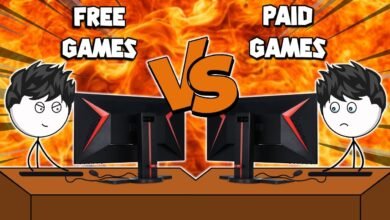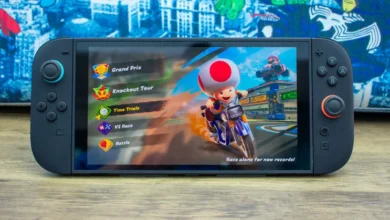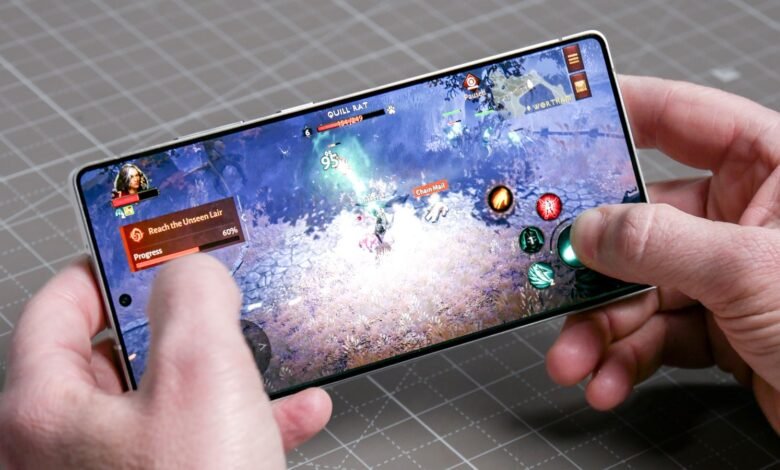
Buying a new video game can be exciting, but choosing the wrong one can waste both your money and your time. With thousands of games available on PC, consoles, and mobile devices, it is important to understand what makes a game worth buying before spending your money.
A game may have impressive graphics but disappointing gameplay. Another may receive excellent reviews but run poorly on your device. By checking a few important factors before making a purchase, you can find games that match your interests, budget, and gaming preferences.
In this guide, you will learn how to evaluate a game before buying it and make a more informed decision.
1. Check Professional and Player Reviews
One of the easiest ways to evaluate a game is to read reviews from professional gaming websites and ordinary players.
Professional reviewers often examine gameplay, graphics, performance, sound design, story quality, and overall value. Player reviews can provide additional information about real-world problems, such as crashes, frustrating mechanics, or missing features.
However, do not rely on a single review. Read several opinions to identify common strengths and weaknesses.
Pay attention to:
- Overall gameplay quality and enjoyment.
- Technical problems and performance issues.
- Repetitive missions or unnecessary grinding.
- Problems with updates, servers, or matchmaking.
- Whether the game delivers what its developers promised.
Remember that reviews are subjective. A game that one person dislikes may still be perfect for your preferences.
2. Watch Gameplay Videos
Trailers often show the most exciting moments of a game, but they may not represent the actual experience. Watching gameplay videos can help you understand how a game works before buying it.
Look for videos that show ordinary gameplay rather than cinematic promotional footage. Long gameplay sessions, beginner guides, and independent reviews can give you a clearer picture of what to expect.
For example, if you are considering an open-world game, watch how players explore the map, complete missions, interact with characters, and travel between locations.
Gameplay videos can help you evaluate:
- Combat systems and controls.
- Mission design and progression.
- Exploration and world design.
- User interface and camera movement.
- Difficulty and overall pacing.
If the gameplay looks repetitive or uninteresting to you, consider exploring other options before spending money.
3. Check the System Requirements
Before buying a PC game, make sure your computer meets its minimum and recommended system requirements. A game may look excellent in screenshots but perform poorly if your hardware cannot handle it.
Check the following components:
Processor (CPU): The CPU handles many game calculations, artificial intelligence, and background tasks.
Graphics card (GPU): The GPU renders graphics, lighting, textures, and visual effects.
RAM: Sufficient memory helps the game run smoothly alongside the operating system and other applications.
Storage: Check whether you have enough available space and whether the game requires an SSD for certain performance benefits.
Operating system: Confirm that your Windows version or other operating system is supported.
Minimum requirements generally indicate the basic hardware needed to run a game, not necessarily the best experience. Recommended requirements provide a more useful starting point for players who want better performance and visual quality.
If you play on a console or mobile device, verify that the game supports your particular platform and device.
4. Understand the Type of Game
Different games offer different experiences. Before purchasing one, consider whether its genre matches your interests.
For example, action games often emphasize combat and quick reactions, while strategy games focus on planning and decision-making. Role-playing games may offer character development, exploration, and long stories.
Common gaming genres include:
- Action: Fast-paced combat, movement, and reflexes.
- Adventure: Exploration, storytelling, and puzzle-solving.
- Role-playing games (RPGs): Character progression, quests, and customization.
- Strategy: Resource management, planning, and tactical decisions.
- Simulation: Realistic or fictional activities modeled through interactive systems.
- Sports and racing: Competitive matches, driving, and skill-based challenges.
- Survival: Gathering resources, crafting equipment, and managing threats.
Think about the games you already enjoy. If you prefer short gaming sessions, a lengthy role-playing game may not be the best choice. If you enjoy competition, a multiplayer or sports game might offer better value.
5. Evaluate the Price and Overall Value
A game’s price does not always reflect its quality. Some affordable games provide hundreds of hours of entertainment, while expensive releases may offer limited content or disappointing experiences.
Compare the price with the amount and quality of content available. Consider the length of the main story, optional activities, replay value, and whether additional content costs extra.
It can also help to calculate the approximate cost per hour of entertainment.
For example, a game that costs $30 and provides 30 hours of enjoyable gameplay costs approximately $1 per hour. A game costing $15 that provides 10 hours costs approximately $1.50 per hour.
This calculation is only a rough guide. A short game can still be excellent value if its experience is memorable and well designed.
Before buying, check whether the game is available at a discount from an authorized retailer or on its official digital storefront.
6. Look for Hidden Costs and Microtransactions
Some games have additional expenses beyond the initial purchase price. These costs can significantly affect the overall value of a game.
Check whether the game includes downloadable content (DLC), season passes, cosmetic purchases, expansion packs, or optional in-game currency.
Pay attention to the difference between optional purchases and content that substantially affects progression. Some games allow players to enjoy the complete experience without spending more money, while others encourage frequent purchases.
If you prefer a complete experience without ongoing expenses, look for games that include substantial content in the base version.
For free-to-play games, examine how monetization works before investing significant time. A free download does not always mean a completely free gaming experience.
7. Check Multiplayer Features and Server Activity
If you plan to play online, investigate the multiplayer experience before buying the game.
A multiplayer game may depend on an active community, stable servers, fair matchmaking, and regular updates. If very few players are online, finding matches may become difficult.
Look for information about:
- Current player activity and matchmaking times.
- Cross-platform multiplayer support.
- Server stability and connection quality.
- Competitive balance and cheating concerns.
- Whether an online subscription is required on your platform.
- Whether the game can be played offline.
Be careful when interpreting player counts. Activity can vary by platform, region, time of day, and game mode.
For single-player games, also check whether an internet connection is required for installation, activation, or continued play.
8. Examine the Graphics and Performance
Graphics can influence your enjoyment, but visual quality is only one part of a good gaming experience.
Look for gameplay footage recorded on hardware similar to yours. This helps you understand the game’s actual performance instead of relying only on high-end promotional footage.
Check whether the game suffers from stuttering, long loading screens, frequent crashes, frame-rate drops, or other technical issues.
For PC gaming, independent performance tests can show how different graphics cards and processors handle the game. On consoles, reviews can reveal whether performance differs between available console versions.
Remember that a visually simple game can still be highly enjoyable if it has responsive controls, interesting mechanics, and strong design.
9. Check the Developer’s Reputation
A game’s developer and publisher can provide useful clues about its likely quality and long-term support.
Research previous releases from the same developer. Consider whether those games received regular updates, bug fixes, meaningful improvements, and reliable customer support.
You should also check the developer’s recent communication about the game you intend to purchase.
Useful questions include:
- Are major bugs being fixed?
- Are updates released regularly?
- Does the developer communicate with players?
- Are promised features available?
- Is the game still receiving support?
A strong reputation does not guarantee that every release will be successful. However, a developer’s history can help you understand what to expect.
10. Read Recent Reviews, Not Just Launch Reviews
A game’s quality can change after release. Updates may improve performance, add content, or fix technical problems. In other cases, patches may introduce bugs or alter important gameplay systems.
For this reason, check recent reviews alongside launch-day coverage.
Recent player feedback can reveal whether the game currently works well, whether multiplayer servers remain active, and whether the developer has addressed major complaints.
For games that use online services, current information is especially important because server availability, balance changes, and monetization policies can change over time.
Avoid judging a game entirely by its launch reputation if significant updates have been released since then.
11. Check Refund Policies and Free Trials
If you are uncertain about a game, investigate whether you can try it before committing to a full purchase.
Some games offer free demos, limited trials, or introductory versions. These provide an opportunity to test the controls, performance, and general gameplay for yourself.
Also review the refund policy of the store where you plan to purchase the game. Different platforms have different eligibility rules, time limits, and conditions.
Do not assume that every digital purchase is refundable. Check the current policy before buying, especially if you are purchasing an expensive game.
A demo or trial is particularly useful when you are unsure whether your device can run the game properly.
12. Consider Accessibility and Controls
A game should be comfortable and practical for you to play.
Check whether it supports your preferred control method, such as a keyboard and mouse, controller, touchscreen, or other compatible input device.
Accessibility features can also make a significant difference. Depending on your needs, look for adjustable subtitles, remappable controls, colorblind options, difficulty settings, aim assistance, and customizable text sizes.
If you prefer playing on a laptop, mobile device, or handheld gaming system, consider whether the interface is easy to use on a smaller screen.
Choosing a game that fits your setup can improve your overall experience without requiring expensive hardware upgrades.
Common Mistakes to Avoid When Buying Games
Even experienced gamers sometimes make poor purchasing decisions. Avoid these common mistakes:
Buying based only on graphics: Beautiful visuals cannot compensate for gameplay that does not interest you.
Trusting every promotional trailer: Marketing materials may not accurately represent the complete experience.
Ignoring system requirements: This can lead to poor performance or an inability to run the game properly.
Purchasing immediately at launch: Waiting for more reviews may help you identify bugs and performance issues.
Ignoring additional costs: Expansions, subscriptions, and in-game purchases can increase the total price.
Following popularity blindly: A popular game may not match your interests or preferred play style.
Ignoring refund conditions: Knowing the rules beforehand can help you make a safer purchasing decision.
Avoiding these mistakes makes it easier to choose games that offer genuine enjoyment and better value for your money.
Game Buying Checklist
Before purchasing a game, use this simple checklist to review your options.
- I have read several professional and player reviews.
- I have watched real gameplay footage.
- My device meets the game’s system requirements.
- The genre and gameplay match my interests.
- The price fits my budget.
- I understand any additional purchases or subscriptions.
- I have checked multiplayer requirements, if applicable.
- I have reviewed recent performance reports and updates.
- I understand the store’s refund policy.
- I have checked whether a demo or trial is available.
You do not need to complete every item for every game, but checking the most important factors can prevent many disappointing purchases.
Conclusion
Evaluating a game before buying it is one of the simplest ways to save money and improve your gaming experience. Instead of relying only on advertisements, popularity, or impressive graphics, take time to investigate reviews, gameplay, system requirements, pricing, and current performance.
The best game is not necessarily the most expensive or popular one. It is the game that matches your interests, runs well on your device, fits your budget, and provides an enjoyable experience.
By following these steps, you can make smarter gaming decisions and spend more time playing games you genuinely enjoy.