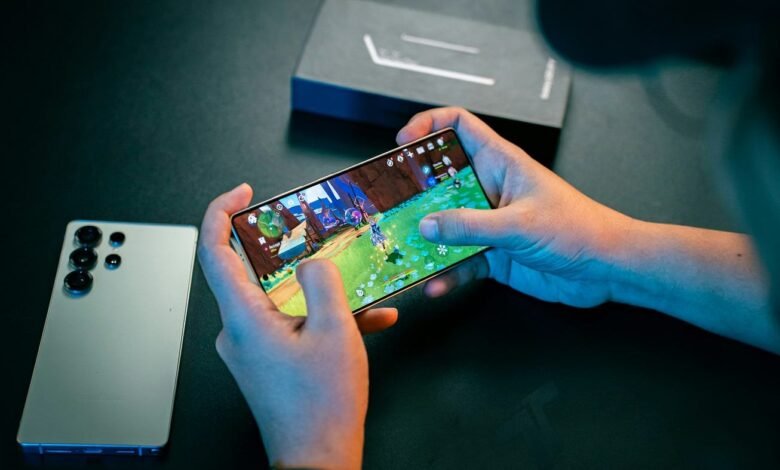
Mobile gaming is one of the most popular ways to enjoy entertainment, compete with friends, and spend free time. However, playing games for long periods can drain your phone’s battery quickly. Games with high-quality graphics, online multiplayer features, and demanding performance requirements often consume more power than regular mobile apps.
The good news is that you can enjoy your favorite games for longer by adjusting a few settings and developing better gaming habits. In this guide, you will learn how to save battery while playing mobile games without sacrificing too much performance.
1. Reduce Screen Brightness
Your phone’s display is one of the biggest sources of battery consumption. Playing games at maximum brightness can drain the battery faster, especially when you play for an extended period.
Try reducing your screen brightness to a comfortable level before starting a game. If your phone supports automatic brightness, you can enable it to adjust the display according to your surroundings.
Tip: Avoid using maximum brightness indoors unless it is necessary for visibility.
2. Lower the Graphics Settings
Many mobile games allow players to customize graphics quality, shadows, textures, and visual effects. Although high graphics settings can make a game look better, they may also increase power consumption.
To improve battery life, consider using these settings:
- Set graphics quality to low or medium.
- Reduce shadow quality and visual effects.
- Disable unnecessary motion blur.
- Choose balanced or performance-efficient graphics modes when available.
Lower graphics settings can reduce the workload on your phone’s processor and graphics hardware, helping it use less energy in demanding games.
3. Reduce the Screen Refresh Rate
Some smartphones support refresh rates of 90Hz, 120Hz, or higher. These displays can make supported games feel smoother, but they may consume more power than lower refresh-rate settings.
If battery life is more important than maximum smoothness, try switching your display to 60Hz or enabling an adaptive refresh-rate mode.
Keep in mind that changing the phone’s display refresh rate may not limit the game’s own frame rate in every situation.
4. Enable Battery Saver Mode
Battery Saver is a useful feature available on many Android phones and iPhones. Depending on your device, it may reduce background activity, limit certain performance features, and adjust system behavior to conserve energy.
You can usually find this option in your phone’s battery settings or quick settings panel.
However, Battery Saver may also reduce gaming performance or limit background services. If you notice lag or delayed notifications, compare your gaming experience with the feature enabled and disabled.
5. Turn Off Unnecessary Background Apps
Apps running in the background may consume battery through network activity, synchronization, location access, and other processes.
Before launching a game, close apps you are not using and pause unnecessary downloads or updates. You can also review your phone’s battery settings to identify apps that consume excessive power.
There is no need to force-close every application constantly. Modern mobile operating systems manage background processes automatically, and repeatedly reopening apps can sometimes use additional energy.
6. Manage Wi-Fi and Mobile Data
Online games require an internet connection, and network activity can contribute to battery drain. A weak mobile signal may make your phone work harder to maintain a connection.
Whenever possible, use a stable Wi-Fi network while gaming. If you are playing an offline game, you can enable Airplane Mode when you do not need calls, messages, or an internet connection.
Do not enable Airplane Mode for online multiplayer games that require an active network connection.
7. Avoid Overheating Your Phone
Heat is an important factor in mobile gaming. When your phone becomes too hot, it may reduce performance to protect its internal components. Excessive heat can also contribute to long-term battery degradation.
To keep your phone cooler while gaming:
- Avoid playing in direct sunlight.
- Remove a thick phone case if it traps heat and doing so is safe.
- Close demanding apps you are not using.
- Avoid charging your phone during intensive gaming sessions when possible.
- Take short breaks during long gaming sessions.
If your phone becomes unusually hot, stop playing and let it cool down naturally. Do not put it in a refrigerator or freezer.
8. Limit Unnecessary Features
Certain phone features can consume additional energy during gaming. Their impact varies by device and usage, but turning off features you do not need can help.
Consider disabling the following when they are unnecessary:
- Bluetooth when no accessories are connected.
- GPS and location access for games that do not need them.
- Personal hotspot.
- Unnecessary vibration and haptic feedback.
- Always-on display, if your phone supports it.
Keep essential connectivity and accessibility features enabled when you need them.
9. Choose Battery-Friendly Game Settings
Some games include built-in options designed to reduce power consumption. These may include battery-saving modes, frame-rate limits, or simplified visual effects.
If your game offers a 30 FPS option, try it instead of 60 FPS or a higher frame rate. Rendering fewer frames can reduce the workload on your phone, although the actual battery savings depend on the game and device.
You can also reduce unnecessary animations and effects when the game provides these options.
10. Keep Your Phone’s Software Updated
Software updates sometimes improve power management, fix performance problems, and address bugs that cause excessive battery consumption.
Check for updates to your phone’s operating system and your installed games. Download updates from official sources, such as Google Play or Apple’s App Store.
Before installing a major update, make sure your phone has sufficient battery power and a reliable internet connection.
11. Use a Reliable Charger and Maintain Battery Health
Your battery’s overall condition affects how long your phone can run between charges. Older batteries may hold less energy than they did when new.
Use a compatible, reputable charger and cable. Avoid exposing your phone to extreme temperatures, and follow the manufacturer’s battery-care recommendations.
You do not need to drain your phone to zero before charging it. For modern lithium-ion batteries, partial charging is generally fine.
12. Take Breaks During Long Gaming Sessions
Long gaming sessions can increase your phone’s temperature and keep its processor working continuously. Taking occasional breaks gives the device time to cool down and lets you rest your eyes.
During a break, lower the screen brightness, lock the display, and let your phone return to a normal temperature before continuing.
If you frequently play demanding games, consider monitoring battery usage in your phone’s settings to identify which games and features consume the most power.
Common Mistakes That Drain Battery While Gaming
Avoid these common mistakes if you want to extend your gaming time:
- Playing at maximum brightness unnecessarily.
- Using the highest graphics settings on every game.
- Keeping the screen refresh rate higher than you need.
- Playing in hot environments.
- Leaving downloads and unnecessary background activity running.
- Ignoring signs of battery damage or unusual overheating.
- Installing unofficial battery-saving apps that request unnecessary permissions.
A battery-saving app cannot eliminate the power required by a demanding game. Built-in system settings are usually the best place to start.
Frequently Asked Questions
How can I save battery while playing games on Android?
Reduce screen brightness, lower graphics quality, limit the frame rate, close unnecessary background activity, and use Battery Saver if it does not affect your gaming experience too much.
Does low graphics quality save battery?
It often does. Lower graphics settings can reduce the workload on your phone’s graphics processor, although the amount of energy saved depends on the game, device, and settings.
Does playing games while charging damage the battery?
Gaming while charging is not automatically harmful, but intensive gaming can generate significant heat. Repeated exposure to high temperatures may accelerate battery wear. Avoid overheating and follow your phone manufacturer’s charging recommendations.
Which mobile games consume less battery?
Simple puzzle games, card games, and many offline casual games often require less processing power than demanding 3D games. However, battery consumption varies depending on graphics, frame rate, network activity, and device optimization.
Is Battery Saver mode good for gaming?
It can help extend battery life, but it may limit performance or background activity on some phones. Test it with your favorite game to find the right balance between battery life and smooth gameplay.
Final Thoughts
Saving battery while playing mobile games does not require expensive accessories or complicated changes. Small adjustments, such as reducing brightness, lowering graphics settings, limiting frame rates, and prev